Get 24/7 support for your business with GitHub Premium Support
- Protect your business and manage IT health with a comprehensive support plan.
- Drive operational efficiency and boost uptime with dedicated GitHub experts.
- Empower your team and meet your goals with the resources to maximize your investment.
- Get a quote
Looking for general support questions? Contact GitHub Support.
Already an existing customer?
Upgrade to GitHub Premium Support to drive impact quickly.
- Experience faster responses 24/7 to maximize your uptime
- Receive expert support in one central location
- Get a dedicated engineer who knows your account
Get GitHub Premium Support with your Microsoft Unified Support plan.
- Provide your team with convenient, self-service tools
- Ensure the reliability of your environment
- Accelerate your goals with best-in-class support
Not a GitHub Enterprise customer yet?
Learn more about GitHub Premium Support and GitHub Premium Plus Support to discover the plan that’s right for you.
Why choose GitHub Premium Support?
“
### At
TSIA, we're seeing technology leaders take an active role in helping their customers adopt new technologies. GitHub is demonstrating a thoughtful, deliberate approach to creating compelling service offerings.
With three tiers of service options, GitHub Premium Support provides customers with smart services at the right time to drive business goals, while simplifying customer choice and allowing for service expansion as needed.
Discover the plan that’s right for you
Use the dropdown filters to reflect your organization’s properties.
Enterprise
- Support via online ticket submission
- Expert guidance from a shared support team
Premium
- Phone support in English via callback request
- Guaranteed service level agreements (SLAs)
- 20 support entitlement licenses
- Priority ticket handling
- Escalation management
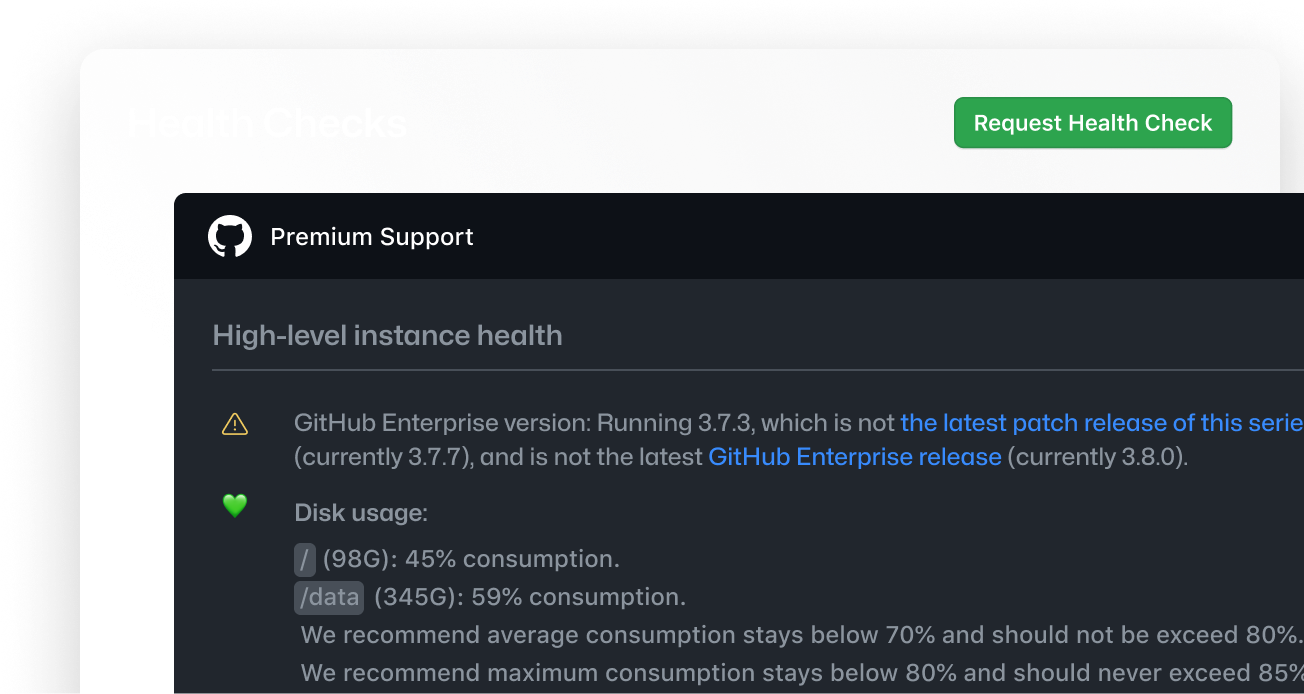
- Unlimited automated health check reports for GHES
- Access to premium training content
Premium Plus
- Additional 20 support entitlement licenses
- Designated Customer Reliability Engineer (CRE)
- Incident management
- Quarterly enhanced health checks with findings, interpretations, and recommendations from a CRE (by request)
- Crisis prevention: Guided incident simulations that help you prepare for — and experience — an incident without risk (available for GitHub Enterprise Server)
- 1 virtual training class per year
- 12 hours of technical advisory hours per quarter
- Application upgrade assistance (by request)
- Cloud planning (by request)
Compare all features
Enterprise
Premium
Premium Plus
Available for Enterprise Cloud and Enterprise Server
24/7
24/7
30 minutes for Urgent (including initial troubleshooting)
4 hours for High
48 hours for Normal
48 hours for Low
30 minutes for Urgent (including initial troubleshooting)
4 hours for High
48 hours for Normal
48 hours for Low
Training
Access to premium content
One virtual training class is offered per year, with topics such as “GitHub for developers” and “GitHub for admins”.
Access to premium content
Members with support entitlements
20
These members determine if incoming inquiries can be addressed via their company’s admin or only by GitHub.
20
Priority ticket handling
Priority ticket handling
For High and Urgent priority tickets
For High and Urgent priority tickets
Incident management
n/a
Ensures you have the technical resources needed for case resolution, and is available 24/7.
Unlimited automated Health Check reports (see “Generating a Health Check for your enterprise”)
Technical advisory hours
n/a
Hours can be scheduled at your discretion. You can use them for technical tasks, such as prepping for a GitHub Enterprise Server upgrade.
Application upgrade assistance
n/a
Delivered upon request via our Customer Reliability Engineers.
Cloud planning
n/a
Delivered upon request via our Customer Reliability Engineers.
GitHub's Special Events Support
Dedicated senior support engineer coverage for high-traffic or high-risk events. Support is available in 24-hour increments, with the most common packages offering 24- or 48-hour coverage.
- Pre-event system checks and readiness planning
- Real-time support via a dedicated channel
- Post-event debriefs with actionable recommendations

See what customers are saying about GitHub Premium Support
“
Our support engineer was very helpful in pointing me to the exact resource I needed in minutes.
“
The support agent took care of the request with a great sense of urgency and addressed the issue well.
“
I'd like to applaud our engineer for how he exceptionally responded to our query. This ticket was not a simple, one-answer investigation and I was very happy with how he explored multiple angles to investigate.
“
Our engineer was super helpful and spot on with figuring out the problem. The steps he suggested helped me figure out the problem quickly. Kudos!
Meet your dedicated GitHub Premium Support team

Premium Support Engineers
Premium Support Engineers, available only for GitHub Premium Support customers, are dedicated resources who manage and coordinate your entire GitHub Premium Support experience.

Support Incident Coordinators
Support Incident Coordinators are responsible for any major incident management, from initiation until resolution, and are available to you 24/7.

Customer Reliability Engineers (CREs)
Customer Reliability Engineers (CREs), available only for GitHub Premium Plus Support customers, know your customer account in detail and can provide answers faster than Premium Support Engineers.
Frequently asked questions
About GitHub Premium Support
Choosing your plan
### What is escalation and incident management?
Escalation and incident management is the ability to escalate ticket progression in the GitHub support portal. After someone escalates a ticket, Support Incident Coordinators orchestrate all necessary parties to resolve the ticket. Additionally, Senior Escalation Engineers (SEEs) facilitate GitHub-internal technical communications and liaise with the rest of GitHub to improve the support team’s capability in similar future circumstances.
### What is incident response management?
Incident response management helps manage the technical resources needed for case resolution. Support Incident Coordinators are available for incident response management 24/7.
### What are my SLAs for initial response?
GitHub Premium Support and GitHub Premium Plus Support customers have SLAs. For urgent priority tickets, your SLA guarantees a 30-minute initial response time, which includes troubleshooting. For high priority tickets, your SLA provides a four-hour initial response time.
### What’s included in initial troubleshooting?
For initial troubleshooting, the assigned Premium Support Engineer/Customer Reliability Engineer will review and acknowledge your ticket. To better understand the issue and start troubleshooting, the engineer may ask for additional information such as screenshots, error messages, log files, diagnostics files, support bundles, or the output of specific console commands. They may also collaborate with others in support, engineering, or in the regional incident commander.
### How do I get health check reports?
GitHub Premium Support and GitHub Premium Plus Support customers are entitled to unlimited automated health check reports. Additionally, GitHub Premium Plus Support customers can request quarterly enhanced health checks with findings, interpretations, and recommendations from a Customer Reliability Engineer (CRE).
### What is crisis prevention?
Crisis prevention allows GitHub Enterprise Server customers to prepare for — and experience — an incident without risk. Your Customer Reliability Engineer (CRE) guides your team through an incident simulation in a safe and controlled environment.
Crisis Prevention consists of up to four sessions about reliability best practices, preparing for a potential incident, and efficiently interacting with GitHub Support. After the incident simulation, your CRE will run a detailed retrospective, uncovering lessons learned and improvement suggestions for the future.
### How do I resolve a problem in GitHub Enterprise?
You can get support via online ticket submission if you’re using the basic plan included with your GitHub Enterprise license. If you have GitHub Premium Support or GitHub Premium Plus Support, you can submit a ticket online. For urgent tickets, GitHub Premium Support and GitHub Premium Plus Support customers can request a callback with one of our Premium Support Engineers or Customer Reliability Engineers (CREs). Please refer to our plan comparison table for more details.
Rules and policies
### If I do not use all the technical advisory hours in a given quarter, can they be carried over?
Premium Plus customers may use up to 12 technical advisory hours per quarter. Unused technical advisory hours may not be carried over into the next quarter.
### How can the technical advisory support hours be used?
There are multiple ways you can use technical advisory hours, including but not limited to:
- Consultations regarding GitHub best practices and general recommendations
- GitHub Enterprise Server upgrade preparation and assistance
Upgrading your plan
Ready to maximize your investment?
Get in touch with a GitHub Premium Support specialist today.
Click below to fill out the form, and our management team will contact you within 48 hours.